
The tint shop showroom touchscreen kiosk, included with every build
The 3D Cars Studio showroom touchscreen is a kiosk on a rolling stand, preloaded with your shop's 3D tint and PPF studio, that sits at your counter so customers build their car while you talk. It is for tint and PPF shop owners who want the customer to see the shade on their own car before they leave, and it comes with every build.
What comes with the showroom touchscreen?
A touchscreen on a rolling stand, with your studio already loaded. Your brand on it, your film lineup, and the vehicles your customers drive. No vendor logo.
Roll it to the counter, plug it in, and connect it to your shop wifi. That is the setup.
It is part of the build, not an add-on.
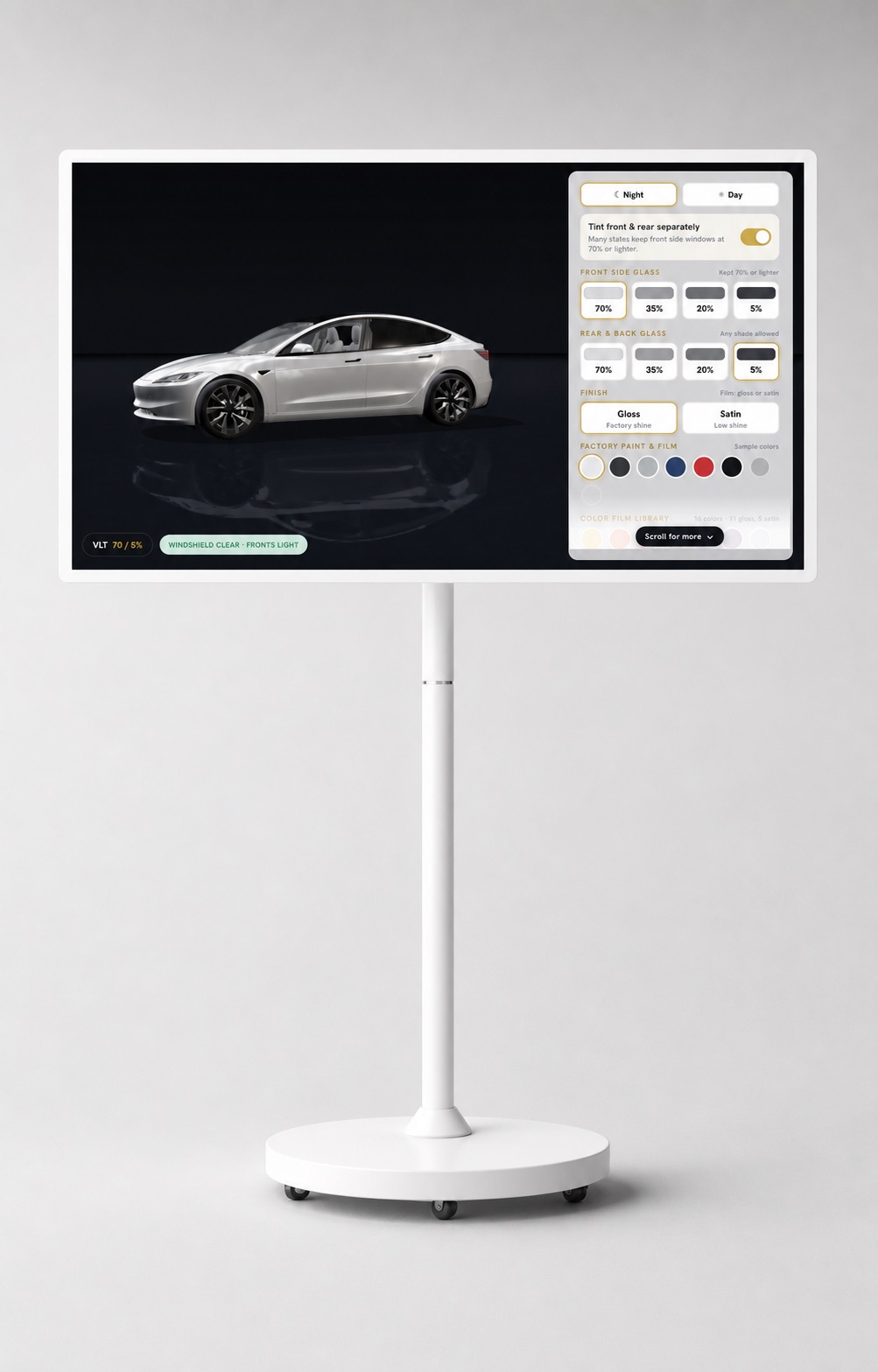
A rolling stand
Put it at the counter, by the waiting chairs, or next to the car in the bay. Move it when the room changes.
Preloaded
Your studio is on it when it arrives. Nothing to install, no app, no login for you or the customer.
An attract screen
When nobody is using it, the screen invites the next customer to touch it, so it works even when you are busy.
Idle reset
If a customer walks away mid-build, it resets itself. The next person starts on a clean car, not someone else's choices.
Why does a kiosk close faster than a sample card?
Because the customer stops guessing.
A sample card is a small square of film held against the glass. The customer has to picture what that square looks like across a whole car, on every window, in the sun and in a parking garage. Most people can't. That is where "let me think about it" comes from.
On the touchscreen, the car is theirs. They set the windshield, front windows, rear windows and sunroof separately, across seven film stops from 70% down to 5%. A clear-glass toggle shows the car with no film, so they compare against the real starting point. The studio also accounts for how dark each vehicle's glass already is from the factory, so the shade they settle on is the shade that rolls out of your bay.
Then they switch the light. Shade, Indoors, Showroom and Direct Sun. Film reads differently in each, and a customer who has seen all four stops asking whether it will be too dark at night.
It shows PPF too
The same screen runs color PPF: 18 films in gloss and satin, wrapped over the factory paint, plus clear and stealth finishes. A customer who came in for tint can see what a satin wrap does to their car while they wait. See the color PPF visualizer for how that part works.
You keep talking, it keeps showing
You are still the one selling. The kiosk does the part words can't. You say "20% on the fronts, 5% in the back," and the customer watches it happen on their own car. The conversation moves from "what will it look like" to "when can you do it."
What does my shop need to run the kiosk?
Two things: a power outlet and your shop wifi. The studio runs in a modern browser on the touchscreen, the same way it runs on your website. There is no software for you to manage and no account to sign in to.
- Power. The stand rolls, so pick a spot near an outlet. The counter or the waiting area are the usual places.
- Wifi. Connect it to the network your shop already uses.
- Floor space. Enough room for a customer, and often a partner, to stand in front of it together.
The studio itself goes live 24 to 48 hours after you sign off on the look. You see it in your brand, with your films and your customers' vehicles, before anything is switched on.
Is the touchscreen kiosk an add-on?
No. Every build includes the touchscreen on a rolling stand. There is no kiosk upgrade to buy later and no separate tablet to source.
There are two ways to get 3D Cars Studio: a one-time lifetime license with no monthly fee, or a one-time activation plus a flat monthly plan. The touchscreen comes with both, and neither charges per lead. We quote the number on a 20-minute call, after you have seen the studio running on your own vehicles. The pricing page for 3D Cars Studio lays out both options.
Launch offer: the website upgrade is free for the first 50 shops that book.
Can a customer start at the counter and finish at home?
Yes. The studio on your touchscreen is the same studio on your website. A customer who starts a build in your lobby can continue at home, show their partner, and send the quote request from the couch.
Every quote request goes to your inbox. Not a platform, and not a film brand's dealer locator.
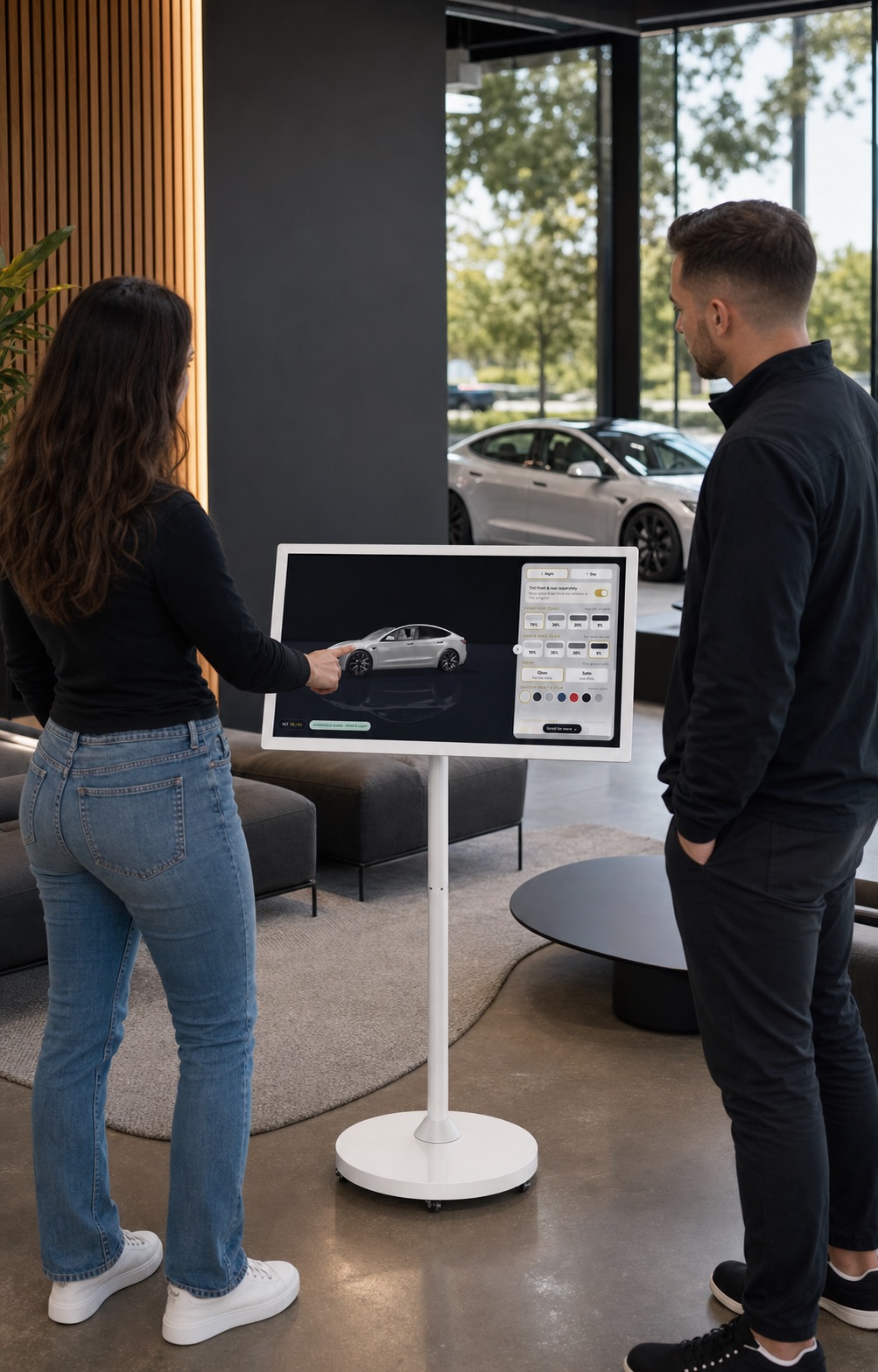
Where should the touchscreen go in my shop?
Wherever customers stand while they decide. For most shops that is the front counter, where the quote gets written. Some put it in the waiting area so customers in for one job see what else their car could look like. If you keep a finished car on the floor, park the kiosk beside it.
Because the stand rolls, you can try a spot for a week and move it. The attract screen means it does its job when you are in the bay and nobody is at the desk.
Want to see it before you decide? Open the live 3D Cars Studio demo on the Tesla Model Y, Tesla Model 3 or Mercedes-Benz S-Class. Your build adds the cars your customers actually drive. You can also read how the window tint visualizer on your own website works, or how it compares with the film-brand tint simulators.
Yours, not a platform's.
Your brand on the screen, no vendor logo, and every quote request in your inbox.
The yes, at the counter.
The customer sees the shade on their own car before they leave, not on a sample card.
In every build.
The touchscreen comes with the one-time license and the monthly plan. No per-lead fee on either.
Showroom touchscreen questions
Is the touchscreen an extra charge?
No. Every build includes the touchscreen on a rolling stand, on the one-time lifetime license and on the monthly plan alike. It is part of the build, not an add-on you buy later.
What does my shop need to run it?
A power outlet and your shop wifi. The studio arrives preloaded, so you roll the stand into place, plug it in and connect it. There is no app to install and no login.
What does the screen show when nobody is using it?
An attract screen that invites the next customer to touch it. When someone walks away mid-build, it resets itself so the next person starts fresh.
Can a customer finish the build at home?
Yes. The same studio runs on your website, so a customer who starts at your counter can continue at home and send the quote request from there. It still goes to your inbox.
Does the kiosk show PPF as well as tint?
Yes. It runs the full studio: per-window tint across seven film stops from 70% down to 5%, plus 18 color PPF films in gloss and satin over the factory paint, and clear and stealth finishes.
Which cars will be on my kiosk?
The vehicles your customers drive. The public demo runs a Tesla Model Y (2025), a Tesla Model 3 (2025) and a Mercedes-Benz S-Class. Your build adds the cars that come through your bays, and more can be added later.
Put it at your counter.
Twenty minutes on a call. We show the studio running on the vehicles your customers drive, then quote the number.