
Try the 3D tint visualizer demo, live in your browser
This is the live 3D tint visualizer demo from 3D Cars Studio, the same studio a tint shop runs on its own website and on a touchscreen at the front desk. It is for shop owners who want to try it the way a customer would, before they book a call.
What does the live studio actually do?
It puts a 3D car on screen and lets the customer change it. Everything runs in the browser, with no app to install and no login.
A customer picks a vehicle, sets the tint on each window, wraps the body in color PPF, switches the lighting and turns the car to look at it from any side. It is the conversation you have at the counter, except the customer can see the answer instead of picturing it.
Tint, window by window
The windshield, front windows, rear windows and sunroof are set separately. Each one moves through seven film stops from 70% down to 5%, plus factory glass. That is how a tint job gets written up, so the customer builds the same job you would quote.
Color PPF over the factory paint
18 color PPF films in gloss and satin wrap the full body over the factory paint. Clear and stealth finishes are there too, for the customer who wants protection without a color change.
Four kinds of light
Shade, Indoors, Showroom and Direct Sun. The same film reads differently in each one, so the customer sees it in the light they will actually drive in, not just under your shop lights.
If your customers already play with a film brand's tool, here is how a shop-owned studio compares with film-brand simulators.
Want to try it right now?
The live studio, not a video. It loads only when you click, so this page stays fast. Prefer a full window? Open the demo studio in its own tab.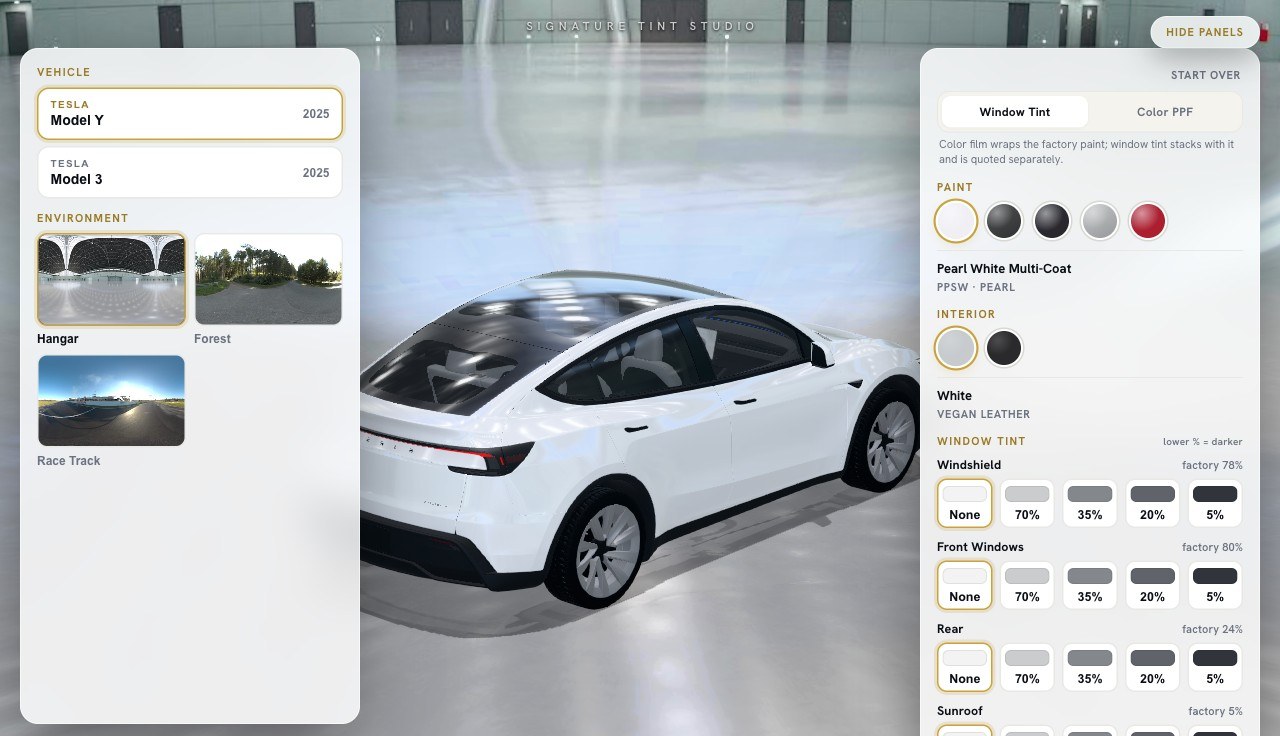
How do I use the controls?
The studio opens with the car filling the frame and the controls folded behind a tab at the edge. Open the tab to bring them out, and close it when you want the car to have the whole screen.
- Turn the car. Drag on it to look from the front, the side or the back.
- Pick the vehicle. The demo has three to choose from.
- Set the tint. Choose a window, then a film stop. Do the next window the same way.
- Check it against clear glass. The clear-glass preview toggle shows the car with untinted glass, so films compare fairly.
- Add color PPF. Choose a film in gloss or satin, or go clear or stealth.
- Change the light. Step through Shade, Indoors, Showroom and Direct Sun.
On a phone the studio waits for a tap before it loads. That way the first swipe scrolls the page instead of grabbing the car.
What are the seven tint stops?
The tint control moves through seven film stops, from 70% down to 5%, plus factory glass. The number is how much light the film lets through, so 70% is the lightest and 5% is the darkest. Most customers walk in with a number in mind from a friend's car. The studio lets them see that number on a car before they commit to it.
It also accounts for how dark each vehicle's factory glass already is. Plenty of vehicles leave the factory with darker rear glass, so the same film can end up darker in the back than in the front. The studio shows the end result, not just the film on its own.
For the tint side on its own, see the window tint simulator customers use to compare shades.
Which vehicles are in the demo?
The public demo runs three vehicles: a 2025 Tesla Model Y, a 2025 Tesla Model 3 and a Mercedes-Benz S-Class. A crossover, a sedan and a large luxury car give you a fair first look at how the studio handles different glass and different body shapes.
They are demo cars, not a fixed list. When we build the studio for your shop, we add the vehicles your customers actually drive. More can be added later as your mix changes.
Want the numbers side of it? Read how 3D Cars Studio pricing works, or go back to the 3D Cars Studio home page for the full picture.
What changes when it is built for my shop?
The demo shows how the studio works. Your build is the same studio, set up for your business: your brand with no vendor logo, your film lineup, and the vehicles your customers drive.
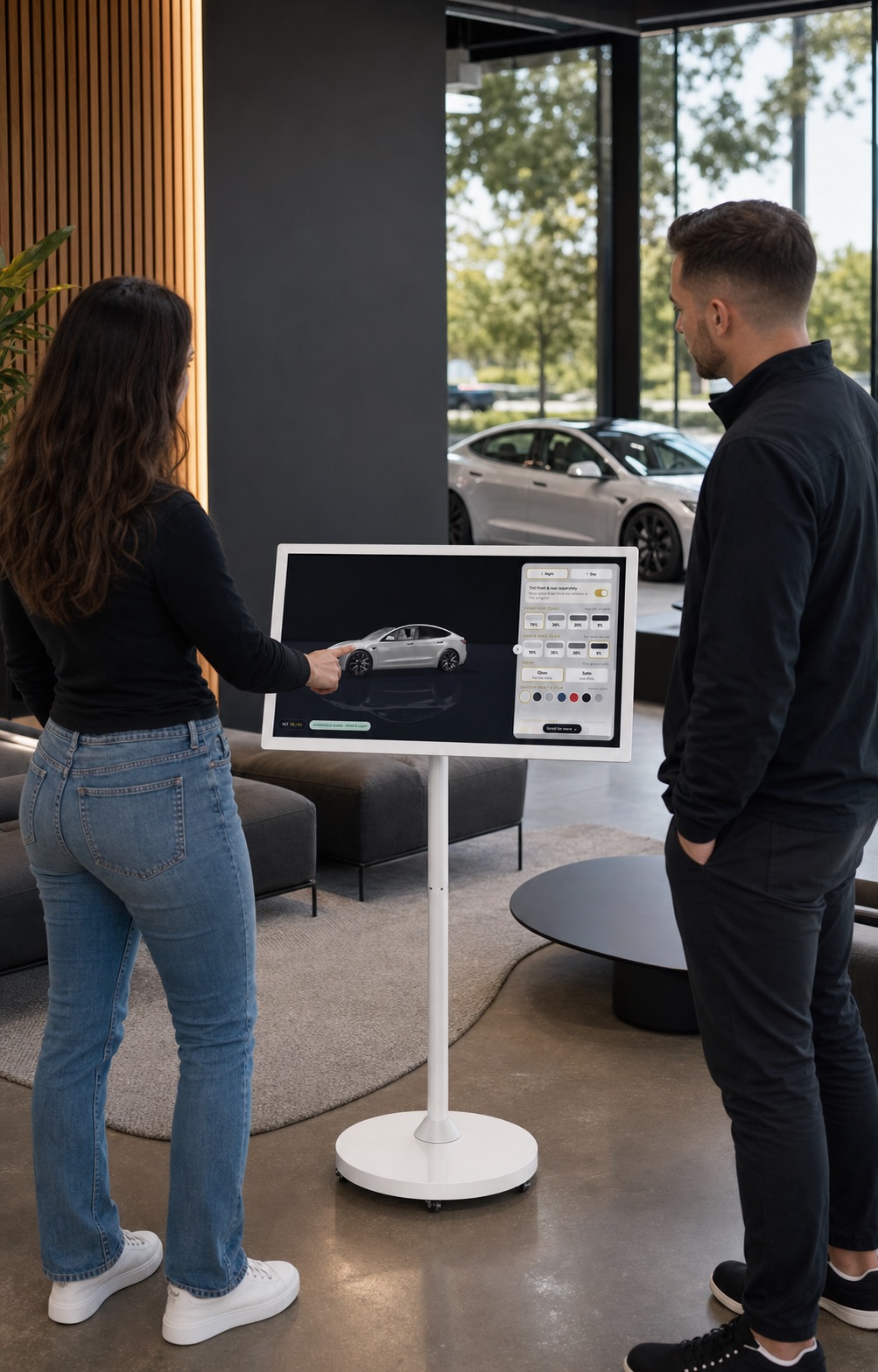
It goes on your website in one line, or your web person hosts it as static files on your own domain. It works with WordPress, Squarespace, Wix, Webflow and custom sites. Every build also includes a touchscreen on a rolling stand, preloaded, with an attract screen and an idle reset for the lobby. A customer who starts at your counter can carry on at home on your site.
Every quote request goes to your inbox, not to a platform or a film brand. It is live 24 to 48 hours after you sign off on the look.
Same studio. Your name on it.
What do shops ask after the demo?
Is this the real studio or a recording?
It is the real studio. The same build runs on a shop's website and on the touchscreen at the front desk. This page runs the public demo, with three vehicles.
Why does the studio wait for a click before it loads?
The 3D vehicles are a large download. Loading them only when you ask keeps this page fast, and on a phone it means a swipe scrolls the page instead of turning the car.
Does the demo work on a phone?
Yes. It runs in any modern browser on a phone, tablet or computer. There is no app to install and no login.
Can I see it on the vehicles my customers drive?
Yes. That is what the 20-minute call is for. Every shop build adds the vehicles your customers drive, and more can be added later.
Will my build look like this demo?
It works the same way, but it carries your brand with no vendor logo, your film lineup and your vehicles. You sign off on the look, and it is live 24 to 48 hours after that.
What does it cost after the demo?
There are two ways to buy it: a one-time lifetime license with no monthly fee, or a one-time activation plus a flat monthly plan. Neither has a per-lead fee. The number is quoted on a 20-minute call, after you see the studio on your own vehicles.
Where should you look next?
Window tint visualizer for shops
Per-window tint across seven film stops, on your own website and at your counter.
Color PPF visualizer
18 color films in gloss and satin, plus clear and stealth, over the factory paint.
Showroom touchscreen
A touchscreen on a rolling stand, preloaded and included with every build.
Want to see it on your customers' cars?
Twenty minutes on a call. We show the studio running on the vehicles your customers drive, then quote the number.